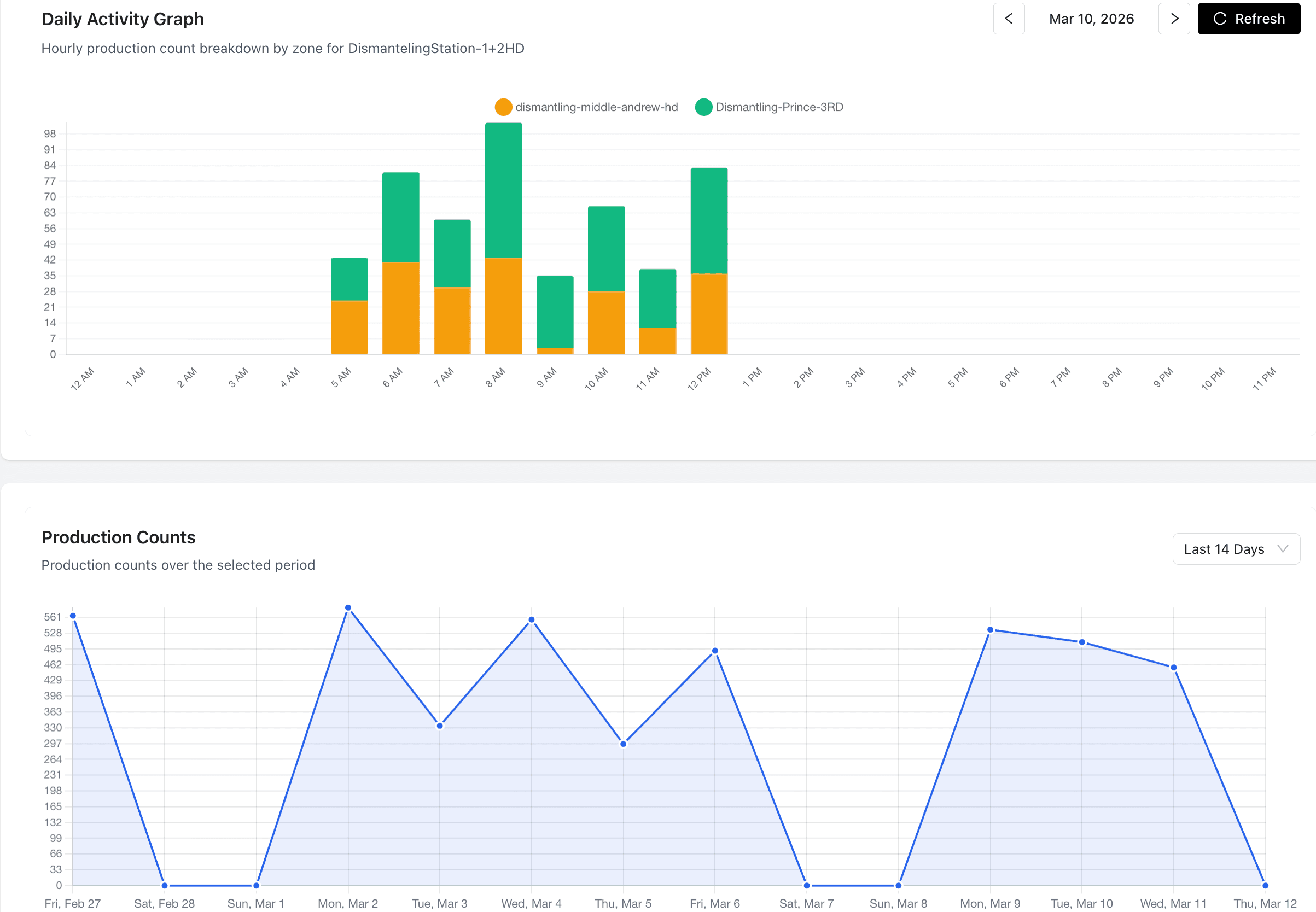
Ask any pallet operations manager how much idle time their lines have, and you will get a shrug or a guess. That is because idle time is invisible without real-time monitoring.
The Hidden Problem
Most pallet operations run at 60-80% utilization — meaning 20-40% of available production time is lost to idle periods. But because nobody is measuring it minute by minute, the gaps are invisible.
Idle time hides in:
- Extended breaks — 15-minute breaks that stretch to 25 minutes
- Shift changeovers — 30 minutes lost twice a day during handoffs
- Material staging — lines waiting for pallets, boards, or materials to arrive
- Equipment issues — minor jams and adjustments that stop production for 5-10 minutes
- Worker availability — stations sitting empty when someone is pulled to another task
Individually, each gap seems small. Together, they add up to hours per day.
Seeing What Was Invisible
When PalletVision monitors a production line, every minute is accounted for. Active periods show production events on the timeline. Idle periods appear as highlighted gaps.
For the first time, supervisors can see exactly:
- When each line went idle
- How long the idle period lasted
- How many idle periods occurred per shift
- Total idle time per line, per shift, per day
This visibility alone changes behavior. When a supervisor sees that Line 3 had 47 minutes of idle time in the morning shift, they ask why. That question is the start of improvement.
Common Patterns
After monitoring hundreds of shifts, we see the same patterns across operations:
The Post-Break Ramp
Production does not restart instantly after breaks. There is a 5-15 minute ramp-up period where workers return, reposition materials, and get back to pace. This adds up to 30-60 minutes of reduced output per shift.
Fix: Stagger breaks so lines never all stop at once. Have materials pre-staged before break ends.
The Shift Change Gap
The handoff between shifts often creates a 20-40 minute gap. The outgoing shift stops early, the incoming shift starts slowly, and the overlap is unproductive.
Fix: Overlap shifts by 15 minutes. Have the incoming shift start while the outgoing shift is still running.
The Material Wait
Production lines stop when materials run out. This is especially common on repair lines waiting for incoming pallets and on build lines waiting for cut boards.
Fix: Use production rate data to predict material needs and pre-stage accordingly.
From Visibility to Action
Detecting idle time is only useful if it leads to action. Here is a practical workflow:
- Daily check: Supervisor reviews idle time summary for each line (2 minutes)
- Pattern spotting: Look for recurring idle periods at the same times each day
- Root cause: Investigate the top 2-3 idle time causes each week
- Intervention: Implement one scheduling or process change per week
- Measure: Track idle time trends to see if changes are working
Operations that follow this cycle typically reduce idle time by 15-30% within the first 3 months.
The Math
For a line producing 80 pallets per shift:
- 10% idle time reduction = 8 more pallets per shift
- Two shifts per day = 16 more pallets per day
- 250 working days = 4,000 more pallets per year
At even modest per-pallet margins, this is significant revenue from capacity you are already paying for.